Why You Need to Start Creating Long-Form Video Content in 2026 (Complete YouTube Guide)
In a world obsessed with 15-second clips and viral moments, long-form video might seem like a relic of the past. But here’s what the data actually shows: while short-form content builds awareness and gets you discovered, long-form video is what builds authority, creates deeper connections with your audience, and drives significantly better monetization opportunities.
YouTube remains the second-largest search engine in the world, and people aren’t just scrolling for entertainment—they’re actively searching for solutions, in-depth tutorials, and comprehensive content they can reference again and again.
If you’ve been creating only short-form content, you’re missing out on a massive opportunity to position yourself as an expert, generate sustainable income through ad revenue and sponsorships, and build a loyal audience that actually converts into customers or clients. But creating long-form content comes with its own challenges: how do you keep people watching for 10, 20, or even 30 minutes? What equipment do you actually need? How do you structure content that’s both comprehensive and engaging?
In this guide, I’m covering everything from choosing the right topics and outlining your content to production setup, editing workflows, YouTube-specific optimization strategies, and how to repurpose one long-form video into dozens of pieces of content across multiple platforms. Whether you’re transitioning from short-form to long-form or starting your YouTube journey from scratch, this is your complete roadmap to creating video content that performs.
Let’s get into it!
Prefer to watch instead of read? I have a YouTube video on the same topic that you can stream now!
Long-Form Video
When to Choose Long-Form Over Short-Form
Short-form video builds awareness and reach, while long-form video builds authority and deeper connections.
If you want to position yourself as an expert, teach complex topics, or create content people can reference repeatedly, long-form is your best bet. Because YouTube is still the second-largest search engine in the world—people go there to learn and solve problems.
Long-form audiences want different things from short-form scrollers. They’re actively seeking your content, ready to invest time, and more likely to convert into customers or clients.
Monetization opportunities are also A LOT better with long-form content. YouTube ad revenue, sponsorships, and affiliate marketing all work better when you have 10-20 minutes to build trust and provide value.
Types of Long-Form Content
- Tutorials and how-to guides are YouTube gold. People search for solutions, and comprehensive tutorials rank well and continue driving views for years.
- In-depth educational content establishes you as an authority. Go deep on topics short-form content can only skim.
- Vlogs and behind-the-scenes content build personal connection. People subscribe to creators they feel like they know.
- Interviews and conversations leverage other people’s audiences and provide value through multiple perspectives.
- Product reviews and comparisons serve high-intent audiences close to making purchase decisions. Affiliate marketing works BE-YOU-tifully here (idc if that’s the incorrect spelling, this blog post needed a little razzle dazzle).
- Case studies and results breakdowns show real-world application of your expertise. These convert viewers into clients better than any sales pitch.
Research and outlining separate good videos from great ones:
- Use tools like Ubersuggest, AnswerthePublic, SEMrush, or each social media app for keyword research.
- See what videos your competitors are making and how you can do them better.
- Create chapters and timestamps. YouTube promotes videos with chapters, and viewers appreciate being able to jump to specific sections.
And think about your script! Full scripts ensure you don’t miss important points but can sound stiff if you’re not comfortable reading. Bullet points give you structure while maintaining natural delivery.
Production Setup
Your production quality doesn’t need to be Netflix-level, but it should be professional enough that quality doesn’t distract from your content.
Camera and audio equipment
This will vary by budget!
- Built-in laptop webcams work fine for beginner setups
- Mid-range DSLRs or mirrorless cameras like the Sony ZV-E10, Canon M50, or DJI Osmo Pocket 3 offer better quality and flexibility
- High-end setups like the Sony A7 series or Canon R series are big investments—but if you want to take content seriously, it’s worth considering
Audio quality matters more than video quality. You can use a clip-on microphone, like the DJI Mic 2 Transmitter, or a USB microphone like Blue Yeti or the Audio-Technica AT2020. They’re simple and sound great!
Now, LIGHTING. Three-point lighting is the foundation of a great video. You’ll have your:
- Key light (main light on your face)
- Fill light (softens shadows)
- Back light (separates you from the background)
Ring lights work for simple setups while softboxes provide flattering, even light.
Here are my lighting recommendations >>>
Your backdrop and set design doesn’t need to be elaborate—clean, uncluttered backgrounds keep focus on you. Add personality with plants, books, or brand elements.
Editing Long-Form Video
Software options
There are the industry favourites like Adobe Premiere Pro and Final Cut Pro—I, personally, have not used them. CapCut works well for me as a desktop and mobile app but if I were you, I’d try them all to see which one you like using the most.
Editing workflow
Import and organize footage into folders by project. Cut for pacing and retention—remove pauses, ums and ahs, and tangents (some software will do this for you in one go!). Add B-roll over sections that need visual interest. And colour correct and grade for a consistent, professional look.
Graphics and text overlays
This adds polish and clarity. If you have multiple speakers in your video and need to add context, use lower thirds. Title cards break up sections and signal topic changes. Call-out boxes highlight important points. And end screens let you promote other videos and encourage subscriptions!
YouTube-Specific Strategy
YouTube is its own beast with specific best practices.
Titles and thumbnails
This determines whether people click. You want to write titles that are clear, compelling, and keyword-rich without being clickbait so you create curiosity.
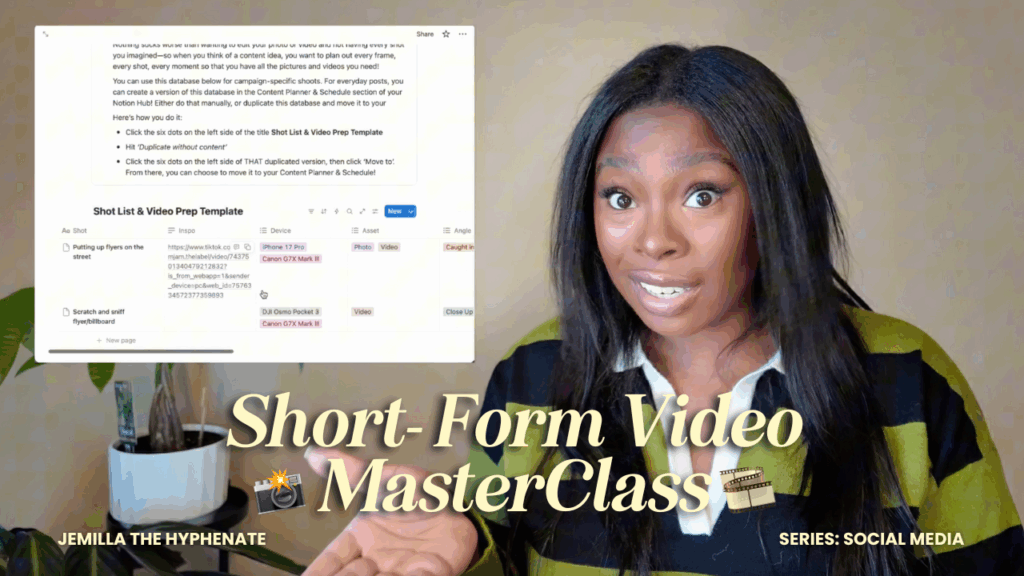
Thumbnail design principles:
- High contrast colors
- Readable text (large fonts, few words)
- Expressive faces (if you’re in the thumbnail)
- Consistent branding across thumbnails
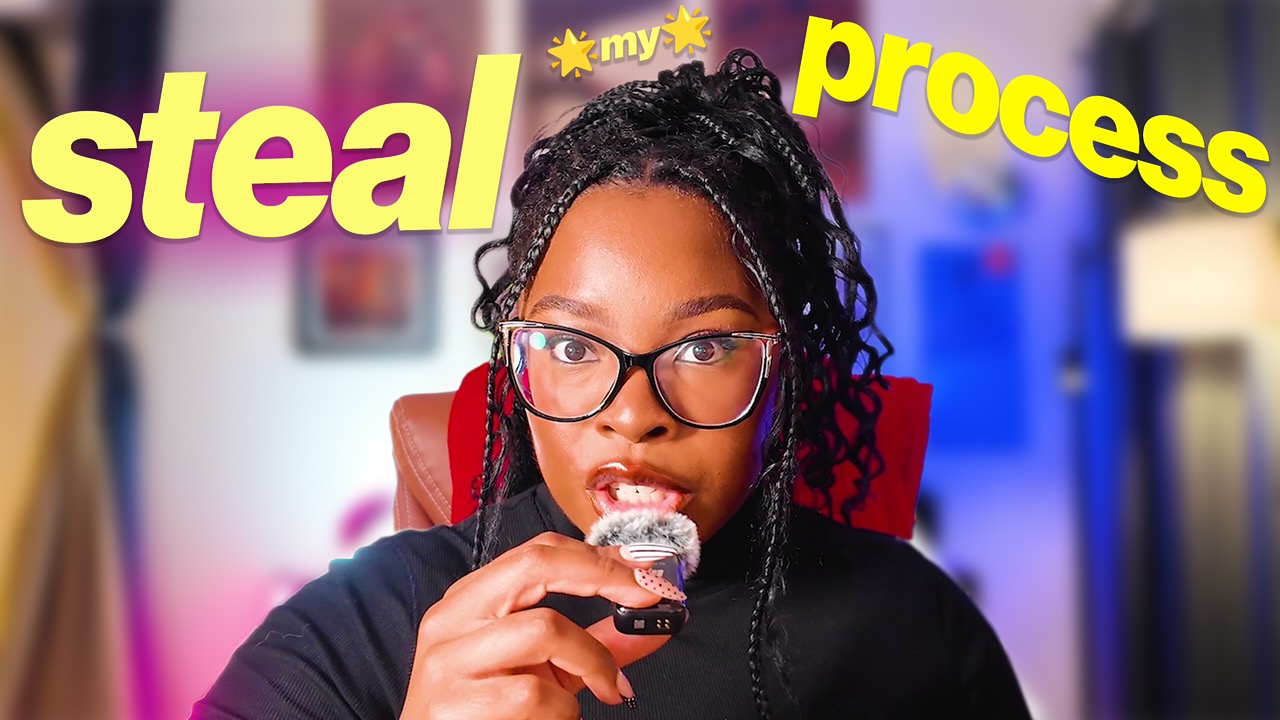
Like this one:
Test different thumbnail styles and A/B test to see what works.
Descriptions and tags
This helps YouTube understand and recommend your content. You want to write detailed descriptions with your primary keyword in the first 1-2 sentences. Include timestamps, relevant links, and social media handles.
Engagement tactics
These boost your video in the algorithm. Pin a comment asking a question to encourage responses. Respond to comments, especially in the first hour after posting—this signals to YouTube that your video is sparking conversation. Design end screens that promote your best videos and encourage subscriptions. And create playlists that group related videos for binge-watching.
Analytics and optimization
This guides your content strategy. Watch audience retention graphs—where do people drop off? Improve those sections. Click-through rate (CTR) shows if your title and thumbnail work, average view duration matters more than total views, and traffic sources reveal how people find you. Use this data to create more of what works and fix what doesn’t.
Repurposing Long-Form Content
Your YouTube video is one piece of content, but it can become dozens. Turn your video into 5-10 short-form clips for TikTok, Reels, and Shorts. Extract the audio for a podcast episode. Transcribe the video and edit it into a blog post. Pull quotes and create graphics for Instagram carousels. This multiplies your reach without creating new content from scratch.
Wrapping It Up
Long-form video isn’t the easier path—it requires more planning, more equipment investment, and more editing time than short-form content. But for creators and business owners who want to build lasting authority, create sustainable income streams, and develop deep connections with their audience, it’s absolutely worth the effort.
The beauty of long-form content is its longevity: a well-optimized YouTube video can continue driving views, building your email list, and generating revenue for years after you hit publish. Start with one video. Choose a topic you’re genuinely knowledgeable about, outline it thoroughly, set up the best production quality you can with your current resources, and focus on delivering genuine value for your target audience.
Your first video won’t be perfect—and that’s completely normal. Every successful YouTuber you admire started with a awkward first video that makes them cringe now. The difference between them and everyone else who never made it? They kept going. They analyzed what worked, improved what didn’t, and stayed consistent even when growth felt slow.
Remember that you can repurpose every long-form video you create into weeks of short-form content, blog posts, podcast episodes, and social media graphics. One piece of long-form content becomes your content engine.
So stop waiting for the perfect moment, the perfect equipment, or the perfect idea. Start creating, start learning, and start building the authority and audience that only long-form content can provide.
Ready to level up your content game?
I hope this blog post helped you! If you want to step up your content game in 2026, grab my Content Creator Mini Course, Hub, & Idea Vault!
This Notion-based resource has:
- Videos, worksheets, and walkthrough guides on every step of the content creation process
- A swipe file of hooks and storytelling frameworks
- A constantly-updating content & series idea vault for creators and business owners in almost every niche
- A content planner & scheduler template that makes plotting the month of content ahead SUPER easy
- A shot list & video production template that make shooting long-form & short-form content seamless
- Guidance on analyzing and optimizing your content performance
- Canva templates for you to customize your Notion resource
- Immediate access to an exclusive monthly newsletter that delivers content & series ideas, and answers your frequently asked questions about content